

Table of Contents
Your analytics strategy depends on choosing the right Tableau platform. This breakdown will show you exactly when to use Tableau Desktop and when Tableau Cloud makes more sense.
1. Introduction
Choosing between Tableau Cloud vs Tableau Desktop is one of the biggest decisions for BI teams, analysts, and enterprise organizations. While both platforms belong to the Tableau ecosystem, they offer completely different experiences, deployment methods, governance models, and costs.
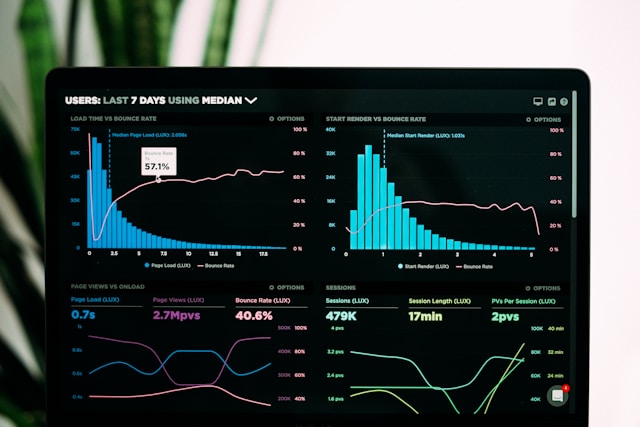
If you’re evaluating the right tool for your team—or planning to transition from Tableau Desktop to Tableau Cloud—this guide will give you a complete, unbiased comparison.
To extend your learning, you can also explore practical dashboard-building techniques inside our ebook Tableau Dashboard Mastery, which complements both tools:
👉 https://learntechbytes.com/downloads/tableau-dashboard-mastery/
2. Tableau Cloud vs Tableau Desktop – Quick Summary
| Feature | Tableau Desktop | Tableau Cloud |
|---|---|---|
| Installation | Installed on your computer | Fully online, web-based |
| Data Connectivity | Local + Cloud data | Cloud-first |
| Performance | Depends on device | Server optimized |
| Collaboration | Manual file sharing | Seamless online sharing |
| Governance | Local rules | Centralized admin governance |
| Pricing | Higher (license needed) | Lower for teams |
| Best for | Developers | Collaboration at scale |
3. What Is Tableau Desktop?
Tableau Desktop is the flagship analytics and dashboard-building application installed on Windows or Mac. It is the primary tool used to develop interactive dashboards before publishing them to Tableau Server or Tableau Cloud.
Key Capabilities
- Build dashboards with drag-and-drop
- Connect to local databases, Excel, CSV, SQL Server, Oracle, and local files
- Create calculated fields, parameters, LODs, table calculations
- Build pixel-perfect dashboards
Because Tableau Desktop is installed locally, its performance depends on your:
- RAM
- CPU
- GPU
- Data size
If you build dashboards frequently (especially heavy ones), Desktop is typically more powerful.
You can also enhance your dashboard design skills using Tableau Dashboard Mastery.
4. What Is Tableau Cloud?
Tableau Cloud is Tableau’s fully hosted analytics platform—no installation required. It is the evolution of “Tableau Online.”
Key Capabilities
- View and interact with dashboards in the browser
- Collaborate across teams instantly
- Publish dashboards directly from Desktop
- Schedule refreshes in the cloud
- AI-powered insights with Tableau Pulse
- Centralized admin, governance, and permission control
Tableau Cloud is ideal for:
- Large organizations
- Teams needing remote access
- Clients who must access dashboards securely
5. Key Differences Between Tableau Cloud and Tableau Desktop
To understand Tableau Cloud vs Tableau Desktop, it’s important to break down differences by usage, accessibility, and governance.
5.1 Installation
- Tableau Desktop: Installed locally
- Tableau Cloud: Runs in the browser
5.2 Data Connectivity
Tableau Desktop:
✔ Local files
✔ Databases
✔ Cloud services
✔ Custom connectors
Tableau Cloud:
✔ Cloud connectors
✔ Live connections via Tableau Bridge
✔ Limited local file uploads
5.3 User Experience
Desktop has more development tools; Cloud is more collaborative.
5.4 Governance Control
This is where the difference becomes more significant.
You can explore governance best practices separately here:
👉 https://learntechbytes.com/tableau-governance-best-practices/
Tableau Cloud is built for enterprise governance with:
- Centralized permissions
- Usage monitoring
- Site-level administration
6. Feature-by-Feature Comparison
6.1 Dashboard Building
| Feature | Desktop | Cloud |
|---|---|---|
| Build dashboards | ✔️ | Limited |
| Create LODs | ✔️ | ✔️ |
| Create table calculations | ✔️ | ✔️ |
| Full control layout | ✔️ | ❌ |
| Developer-first tools | ✔️ | ❌ |
6.2 Collaboration
Tableau Cloud wins here.

6.3 Automation & Scheduling
Tableau Cloud:
- Automates extract refreshes
- Integrates with Tableau Prep flows
- Provides secure data scheduling
Desktop requires Cloud/Server for automation.
7. Performance Comparison
Tableau Desktop Performance Depends On:
- RAM (16–32 GB recommended)
- Processor for calculations
- Speed of local data sources
Tableau Cloud Performance Depends On:
- Tableau’s multi-node infrastructure
- Optimization built into the platform
In most enterprise scenarios, Tableau Cloud outperforms Desktop due to optimized server architecture.
8. When to Choose Tableau Desktop
Choose Desktop if you:
- Build dashboards regularly
- Work with large offline datasets
- Need advanced developer capabilities
- Want full control of visualization layout
- Are preparing dashboards before publishing
Many teams use Desktop for development and Cloud for deployment.
9. When to Choose Tableau Cloud
Choose Cloud if you:
- Want a fully online analytics solution
- Need instant sharing
- Want centralized governance
- Need automated scheduling
- Want clients/executives to access dashboards remotely
10. Pricing Comparison
Tableau Desktop
Requires a Creator license.
Tableau Cloud
Licenses available:
- Creator
- Explorer
- Viewer
Cloud is cheaper for organizations with many viewers.
Official pricing:
🔗 https://www.tableau.com/pricing
11. Governance & Security Considerations
Governance is a major factor in choosing between Tableau Cloud vs Tableau Desktop.
Tableau Desktop Governance
- Local workbook storage
- Risk of version conflicts
- No centralized control
Tableau Cloud Governance
- Usage monitoring
- Access management
- Centralized data source certification
- Site roles + permissions
- MDM integrations
For detailed governance strategies, refer the below article:
👉 https://learntechbytes.com/tableau-governance-best-practices/
12. Business Use Cases
Tableau Desktop Best For:
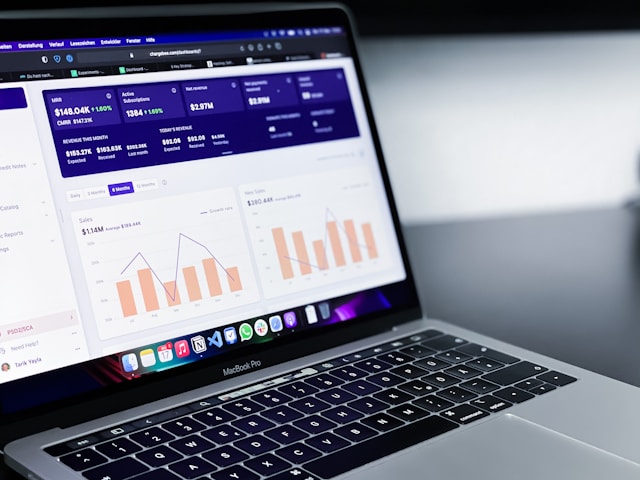
- Analysts and BI Developers
- Consulting teams developing dashboards for clients
- Heavy data modeling and transformation
- Custom visualizations
Tableau Cloud Best For:

- Enterprise BI teams
- CFO/CEO-ready executive dashboards
- Self-service analytics
- Remote teams
- Client-facing portals
13. Which One Should YOU Use?
Here’s a simple rule:
✔ If you build dashboards → Choose Tableau Desktop
✔ If you consume dashboards → Choose Tableau Cloud
✔ If you manage BI at scale → Use BOTH together
Most companies use this model:
| Role | Tool |
|---|---|
| Developer | Tableau Desktop |
| Viewer | Tableau Cloud |
| Admin | Tableau Cloud |
| Data Engineer | Desktop + Cloud |
To build dashboards that work perfectly on both tools, learn design best practices from:
👉 Tableau Dashboard Mastery
https://learntechbytes.com/downloads/tableau-dashboard-mastery/
14. External Resources
- Tableau Desktop Product Page
https://www.tableau.com/products/desktop - Tableau Official Pricing
https://www.tableau.com/pricing
15. Conclusion
Choosing between Tableau Cloud vs Tableau Desktop depends on whether you need developer power or cloud collaboration. Desktop is best for dashboard creation and deep data modeling, while Cloud is ideal for secure distribution, governance, and scaling analytics across your organization.
To fully master dashboard design—no matter which version you use—explore our bestselling ebook Tableau Dashboard Mastery:
👉 https://learntechbytes.com/downloads/tableau-dashboard-mastery/
It’s the perfect companion to level up your Tableau skills.
16. Frequently Asked Questions
Q1. Is Tableau Desktop still required if I have Tableau Cloud?
Yes, for advanced dashboard development.
Q2. Can I publish Tableau Desktop dashboards to Tableau Cloud?
Yes—this is the primary workflow.
Q3. Which is better for remote teams?
Tableau Cloud.
Q4. Is Tableau Cloud secure?
Yes, it offers enterprise-grade security, row-level permissions, and site-level access control.