
AI-powered analytics is no longer optional—it’s becoming the new standard. With Tableau Pulse and Einstein AI, Tableau is entering a new era of intelligent, automated insights.
Table of Contents
⭐ Introduction
The world of analytics is shifting rapidly. Business teams are no longer satisfied with static dashboards—they expect proactive insights, automated recommendations, and AI-driven intelligence that answers questions before they are even asked. That’s exactly where Tableau Pulse and Einstein AI come in.
In 2025, Tableau has evolved far beyond a visualization tool. With Tableau Pulse (built natively on Tableau Cloud) and its integration with Einstein AI, Tableau now delivers automated insights, natural language summaries, smart KPI monitoring, and predictive intelligence to every user—whether they’re analysts, managers, or executives.
This guide explores how Tableau Pulse and Einstein AI work, the benefits they offer, and how organizations can use AI-powered Tableau features to transform their analytics strategy.
To complement your AI analytics journey, you can also master dashboard building with our ebook Tableau Dashboard Mastery →
👉 https://learntechbytes.com/downloads/tableau-dashboard-mastery/
⭐ What Is Tableau Pulse?
Tableau Pulse is Tableau’s new AI-powered experience launched for Tableau Cloud users. It provides personalized insights, smart KPI monitoring, automated narratives, and proactive alerts—making analytics simpler and more conversational.
Key Features of Tableau Pulse
- AI-powered KPI summaries
- Automated insights delivered to email/Slack
- Natural language explanations
- Proactive anomaly detection
- Personalized KPI feeds
- Smart metric comparisons
- Executive-ready narratives
Tableau Pulse is fully powered by Einstein AI, and together they redefine business analytics.
⭐ What Is Einstein AI in Tableau?
Einstein AI (from Salesforce) is the intelligence layer that powers predictive analytics, natural language insights, and AI-assisted explanations inside Tableau.
Einstein AI Capabilities Used in Tableau
- AI-driven trend analysis
- Predictive insights (e.g., forecast revenue decline)
- Root-cause explanations
- Natural language summaries
- Smart data alerts
- Auto-identification of outliers
This integration is the backbone of the modern AI-powered Tableau experience.
If you want to govern these AI insights effectively, check out:
👉 Tableau Governance Best Practices
https://learntechbytes.com/tableau-governance-best-practices/
⭐ Why AI Matters for Modern Analytics Teams
The shift from dashboards to AI-powered insights changes everything:
| Traditional BI | AI-Driven Tableau (Pulse + Einstein AI) |
|---|---|
| Users explore dashboards | Insights come to users |
| Manual KPI tracking | Automated monitoring |
| Requires analytical skills | Natural language explanations |
| Reactive insights | Proactive insights |
This is exactly why Tableau Pulse and Einstein AI are becoming mandatory tools in enterprise BI strategies.
⭐ How Tableau Pulse Works (Step-by-Step)
1. Define Metrics (KPIs)
Users add or subscribe to KPIs such as:
- Revenue
- Customer retention
- Sales by region
- Website conversion
2. Pulse Analyzes the Data Using Einstein AI
AI models detect:
- Trends
- Seasonality
- Spikes
- Drops
- Anomalies
3. Pulse Generates Insights Automatically
Insights appear as:
- Cards
- Summaries
- Alerts
- Narratives
4. Users Receive Insights Anywhere
Pulse integrates with:
- Slack
- Tableau Cloud home
- Mobile
This makes analytics accessible to everyone.

⭐ Top 12 Benefits of Tableau Pulse and Einstein AI (2025 Edition)
1. Automated KPI Monitoring
Users no longer need to open a dashboard—Pulse delivers the insights.
2. Natural Language Insights
Einstein AI explains insights in everyday language.
3. Proactive Alerts
Get notified when KPIs spike, drop, or show abnormal behavior.
4. Personalization for Every User
Pulse tailors insights depending on role and preferences.
5. Predictive Insights
Einstein AI forecasts trends and warns of potential risks.
6. Automated Correlation Analysis
Pulse identifies what factors influenced KPI changes.
7. Faster Decision-Making
Executives get instant summaries instead of waiting for analysts.
8. Better Data Adoption Across Teams
Even non-technical users understand AI-generated insights.
9. Reduced Dependency on Static Dashboards
AI shifts focus from “searching for answers” to “receiving answers.”
10. Improved Governance and Consistency
AI-generated metrics reduce subjective interpretation.
For governance guidance, refer here:
👉 https://learntechbytes.com/tableau-governance-best-practices/
11. Increased BI Team Productivity
Less manual reporting → more strategic work.
12. Enhanced Data Culture in Organizations
AI democratizes access to trusted insights.

⭐ Real-World Use Cases of Tableau Pulse and Einstein AI
Here are the practical ways industries use Tableau Pulse and Einstein AI today:
1. Sales Performance Monitoring
AI highlights:
- Top-performing regions
- Pipeline risks
- Expected revenue dips
- Sales rep productivity
2. Customer Retention & Churn Reduction
Pulse tracks: Supply Chain Optimization
Einstein AI identifies:
- Inventory risks
- Delivery delays
- Unusual cost fluctuations
4. Marketing Insights
AI measures changes in:
- Campaign effectiveness
- Conversion rates
- Ad performance anomalies
5. Finance & FP&A
Pulse helps CFO offices monitor:
- Cashflow deviations
- Unexpected expense spikes
- Forecast accuracy
⭐ How Tableau Pulse Improves Dashboard Performance
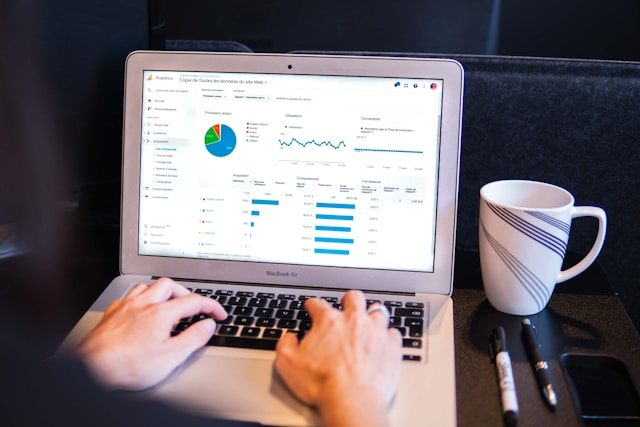
AI-driven insights reduce user load on dashboards because:
✔ Fewer dashboards need to be opened
✔ Insights are distributed automatically
✔ Backend compute is optimized through Pulse engines
For more tuning techniques, check out:
👉 Tableau Performance Tuning
https://learntechbytes.com/tableau-performance-tuning/
⭐ How Einstein AI Enhances Tableau Visualizations
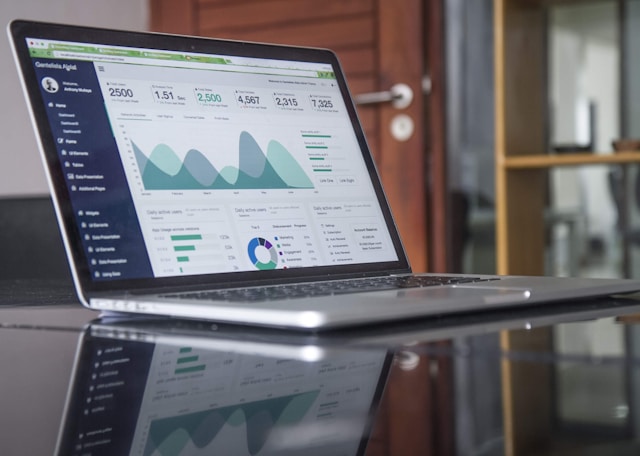
Einstein AI improves Tableau dashboards by adding:
● Smart explanations
● Auto-discovery of insights
● Predictive forecasting
● Correlation insights
● “Why did this happen?” narratives
This elevates dashboards from visual reports to intelligent BI systems.
⭐ Tableau Pulse + Einstein AI = The Future of Data Democratization
AI ensures that insights are:
✔ Accessible to everyone
✔ On-demand
✔ Personalized
✔ Accurate
✔ Automated
This AI-driven shift reduces the burden on analysts and gives executives real-time situational awareness.
⭐ Challenges and Limitations to Consider (Truthful & Balanced)
1. Works Only on Tableau Cloud
Tableau Pulse is not available for Tableau Server.
2. AI Explanations Depend on Data Quality
Poor-quality data = inaccurate insights.
3. Requires Governance Planning
Pilot, rollout, and data permission strategies must be set first.
More details:
👉 Tableau Governance Best Practices
https://learntechbytes.com/tableau-governance-best-practices/

⭐ How to Prepare Your BI Team for Tableau Pulse and Einstein AI
✔ Train teams on AI literacy
✔ Define metric owners and governance structure
✔ Build AI-ready data models
✔ Use Tableau Dashboard Mastery techniques for hybrid dashboards
👉 https://learntechbytes.com/downloads/tableau-dashboard-mastery/
⭐ External Resources
- Tableau Pulse Overview
🔗 https://www.tableau.com/products/tableau-pulse - Einstein AI Overview
🔗 https://www.salesforce.com/products/einstein/ai/
⭐ Conclusion
AI is transforming analytics faster than ever. Tableau Pulse and Einstein AI bring automated insights, smart narratives, predictive intelligence, and personalized KPI monitoring to every user in the organization.
This is not just an upgrade—it’s a new era of modern, AI-driven analytics.
To elevate your dashboards and prepare for the future of Tableau, explore our ebook Tableau Dashboard Mastery →
👉 https://learntechbytes.com/downloads/tableau-dashboard-mastery/
⭐ Frequently Asked Questions
Q1. Do I need Tableau Cloud to use Tableau Pulse?
Yes, Tableau Pulse is only available on Tableau Cloud.
Q2. Is Einstein AI included with Tableau Pulse?
Yes, Einstein AI powers many Pulse insights.
Q3. Do dashboards become irrelevant because of Pulse?
No—Pulse enhances dashboards, but dashboards still serve visual exploration needs.